
The Quran Friends app keeps your lessons, homework and progress in one place. It works in the browser on your phone or computer, with nothing to install, at app.quranfriends.com. This guide walks you through it step by step.
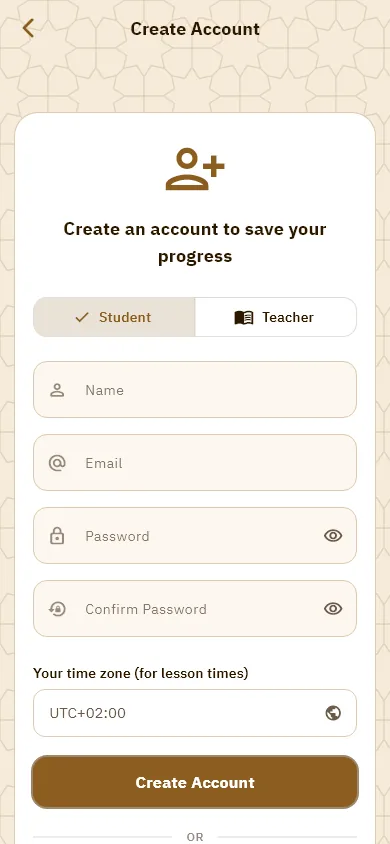
1Create your account
Open app.quranfriends.com and tap Register Now. Choose Student, add your name, email and password, and check your time zone (it sets your lesson times). You can also sign up with Google. For a child, a parent creates the account.
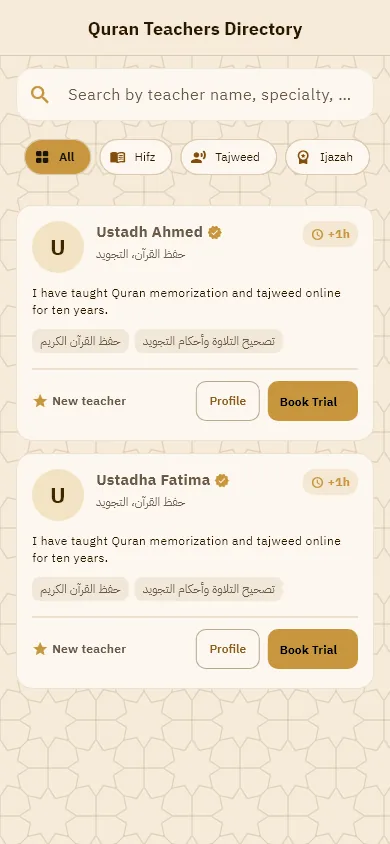
2Choose your teacher
The teacher list shows what each teacher teaches (Hifz, Tajweed, Ijazah) and whether they are in your time zone. Tap Profile to learn more, or Book Trial. The academy may also choose your teacher for you.
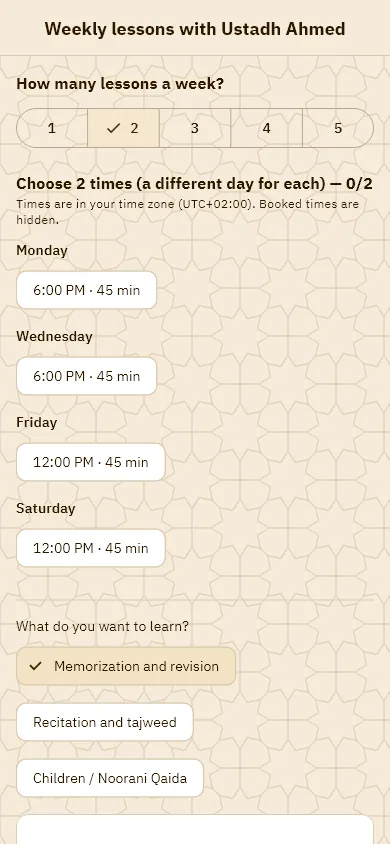
3Book your weekly times
Choose how many lessons a week, then the times that suit you. Times are shown in your own time zone. Pick what you want to learn and add a note for the teacher if you like. When the teacher accepts, your lessons appear on your page.
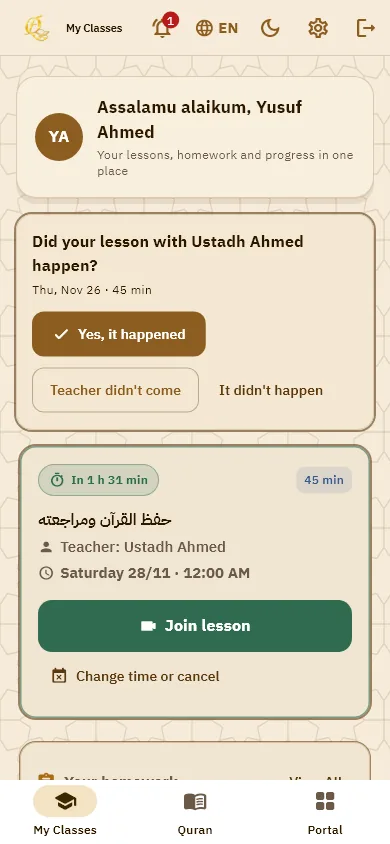
4Your home page
Everything you need is on one page:
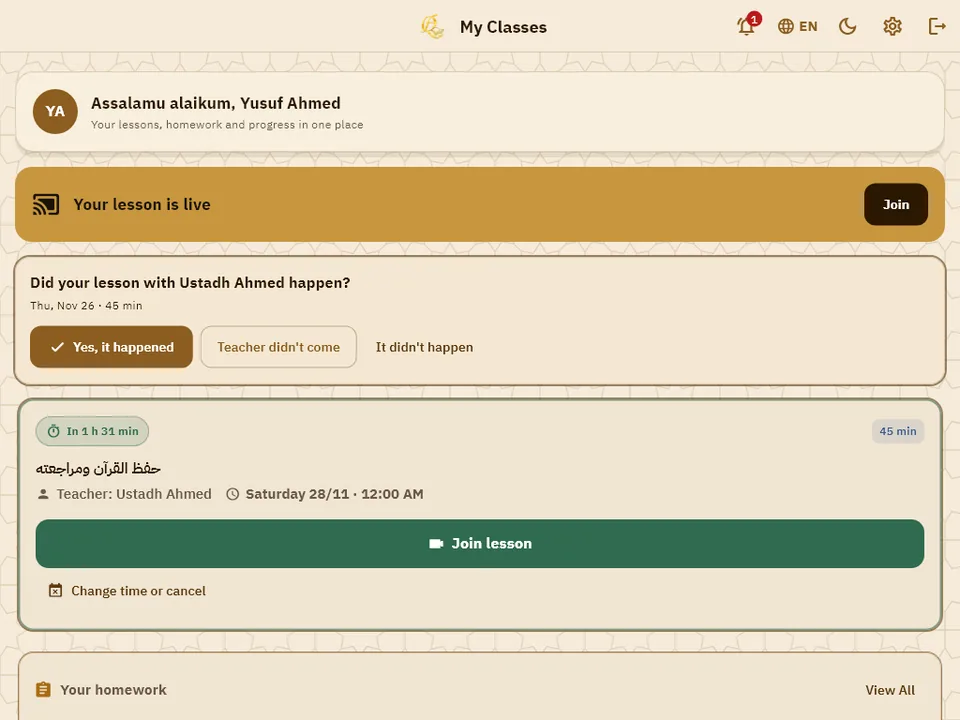
- Your next lesson, its time and a Join lesson button, plus Change time or cancel.
- Your homework with Open homework.
- Your teacher with Message your teacher.
- My progress: Mistakes, Prizes, Revision, Reports and Certificates.
5Join the lesson
When your teacher starts the lesson, a Your lesson is live bar appears with a Join button. If your teacher added a video call link (Zoom or Meet), open it from the call button. After the lesson, tap Yes, it happened so it counts.
6Read with your teacher in the Mushaf
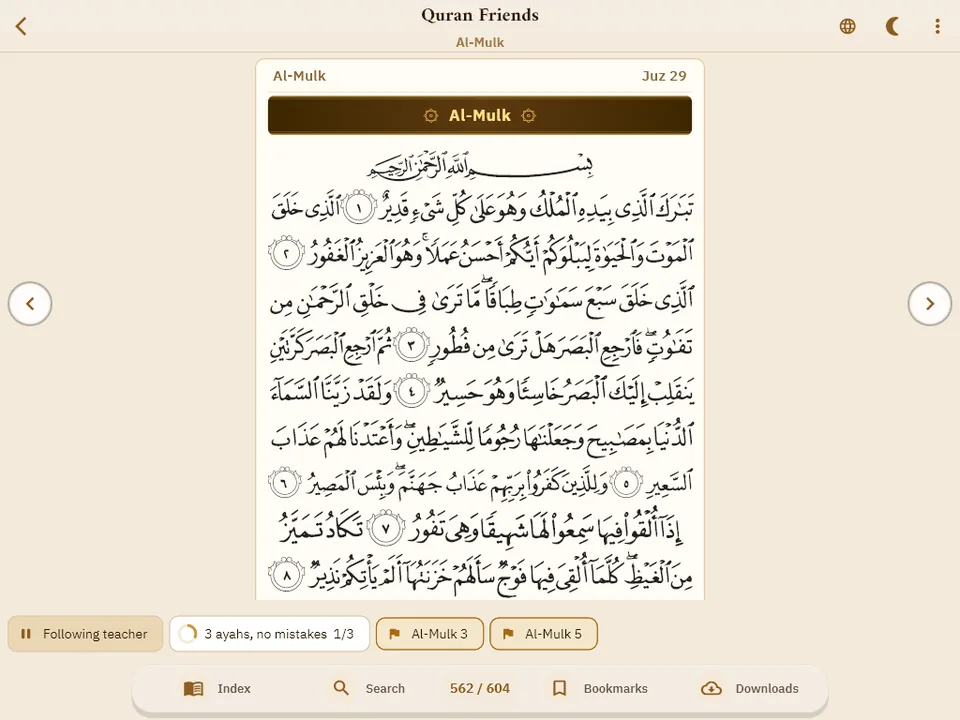
In the live lesson you see the same Mushaf page as your teacher, and it turns with them. Your teacher records where each mistake was, so you can review it later under Mistakes.
7The Mushaf and revision, any time
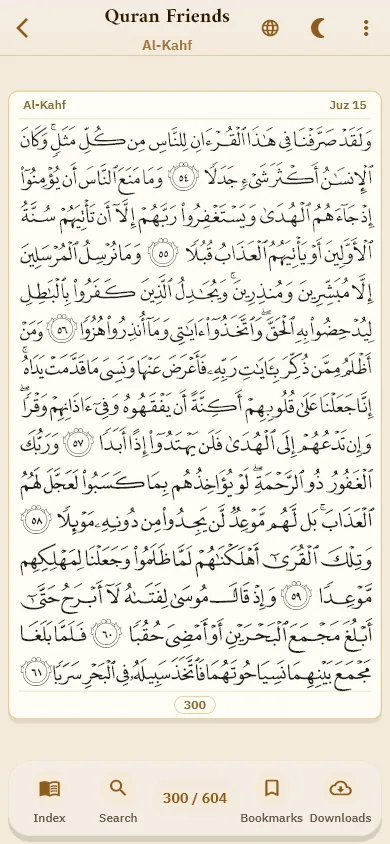
Tap Qur’an at the bottom of the app for the full Madinah Mushaf (604 pages) with recitation audio, search and bookmarks. You can download it to read without internet.
8Need help?
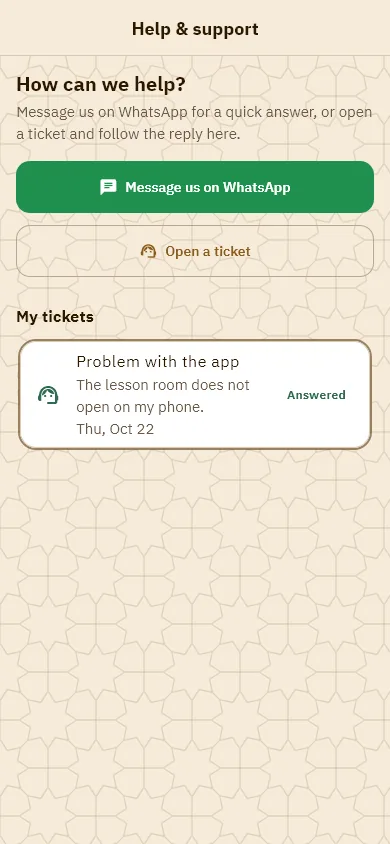
Tap Need help? Contact us at the bottom of your page, or message us on WhatsApp. We reply as soon as we can, in sha Allah.
Quick questions
- Do I need to install anything? No, open the link in your browser. You can also add it to your phone’s home screen.
- Does it work in Arabic? Yes, tap the language button at the top of the app.
- Is the first class free? Yes, see how the free class works.